
















7 Proven Ways to Reduce Dye Sublimation Printing Cost Without Sacrificing Quality
Estimated reading time: 8 minutes
Key Takeaways
- Controlling ink usage can save up to 30% on overall printing costs.
- Choosing the right paper and equipment lowers long-term expenses.
- Setting up proper color management avoids over-saturation and reprints.
- Reducing reject waste can save hundreds or even thousands of dollars annually.
- Strategic labor and energy management also boost profitability.
Table of Contents
Running a sublimation printing business can drain your wallet fast if you’re not careful. Ink alone can eat up 30% of your shop’s budget, and a single misprint can waste $50 worth of materials, as discussed in Maximizing ROI: Cost-Saving Tips for Your Sublimation Transfer Paper Printing.
The good news? You don’t have to sacrifice quality to reduce dye sublimation printing cost. By focusing on five key pillars – ink, paper, power, labor, and rejects – you can dramatically cut expenses while maintaining the crisp, vibrant output your customers expect. (For additional considerations on heat transfer processes that help reduce rejects, see General Considerations for the Heat Transfer Process in Dye Sublimation.)
This guide shows you exactly how to reduce dye sublimation printing cost through saving sublimation ink, optimizing sublimation paper, and implementing smart production practices. We’ll also show you how Fluxmall’s inks, papers, and profiling services help turn these strategies into real-world savings. (If you’re considering new printers for your business, you can read Choosing a Dye Sublimation Printer: The Ultimate Guide for POD and Online Businesses.)
Let’s dive into the tactics that successful print shops use to boost their bottom line.
Breaking Down the Running Cost of Dye-Sub Printers
Before you can cut costs, you need to understand where your money goes. The running cost of dye-sub printers breaks down into several expense buckets that add up quickly.
Equipment Investment
Your initial printer purchase is just the beginning. You need to think about the total cost of ownership over three years or more. A budget printer might seem like a bargain at first, but low-end machines often waste 30% more ink and can require $1,000 head replacements every year, as outlined in 3 Smart Strategies to Reduce the Cost of Large Format Printer Sublimation.
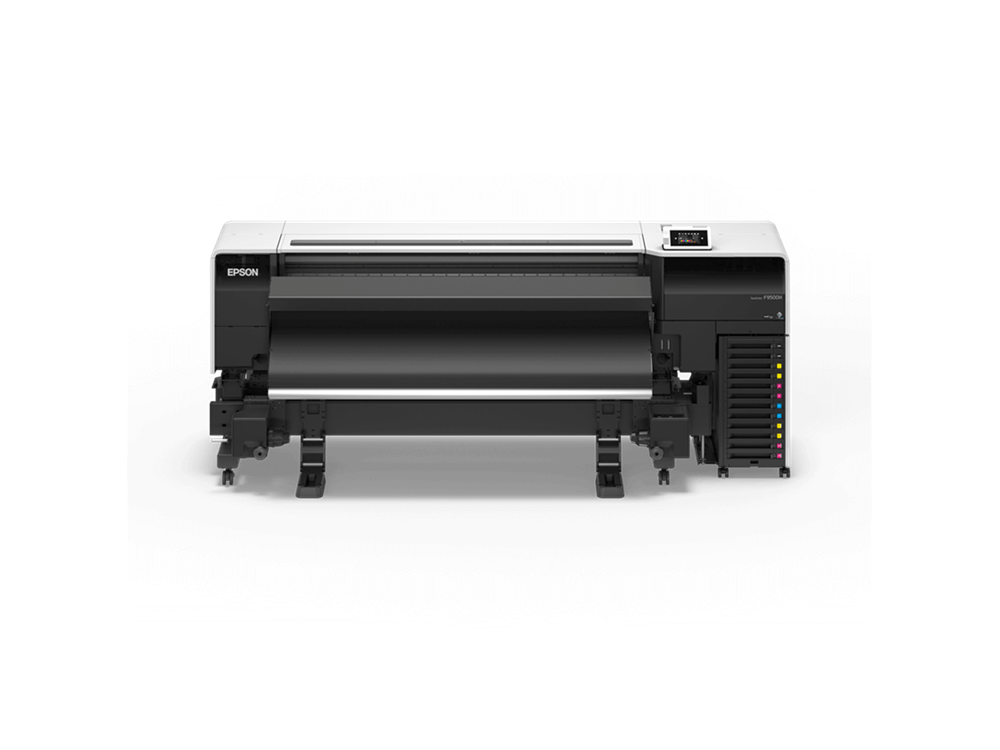
Higher-quality equipment with larger cartridges and better filtration systems can reduce your total costs by $1,500 or more across three years. (For an in-depth look at industrial printers designed to minimize long-term expenses, see TOP Dye Sublimation Printers for High-Volume, High-Detail Printing in 2025 and Epson SC-F6430H Dye Sublimation Printer – Overview.)
Consumables: Ink and Paper
Ink is your single biggest variable cost. In many shops, it consumes 30% of the entire budget (reference).
Sublimation transfer paper costs roughly $0.20 per square foot. That means even a 10% reduction in paper waste saves a mid-sized shop around $2,000 each year (same reference).
(When shopping for equipment that optimizes ink and paper usage, check out Top Epson Large-Format Dye Sublimation Printers | From Small to Large-Scale Factories.)
Energy and Labor
Electricity costs add up, especially if you run multiple printers or heat presses all day. Labor represents another significant expense – time spent on reprints, maintenance, and troubleshooting all count against your profitability.
Reject and Reprint Waste
Every rejected print represents wasted ink, paper, and labor. A poorly calibrated heat press can ruin 20% of your prints through fading or uneven transfers. One shop lost $500 in a single incident due to uneven heat distribution (reference).
Reducing sublimation printing errors and optimizing sublimation production across all these areas creates compound savings that dramatically improve your margins.
Cut Ink Usage by Up to 30% With Smart Color Management
Saving sublimation ink delivers the fastest return on your optimization efforts. Most shops waste ink without even realizing it, but a few smart adjustments can slash consumption by nearly a third.
Optimize Your Color Profiles
Using vivid or saturated color settings might seem like a good way to make prints pop, but these settings can bleed 30% extra ink beyond what’s actually needed (reference).
RIP software like Maintop 6.1 lets you fine-tune CMYK color mixing for specific materials. Polyester fabrics need different saturation levels than ceramics or hard goods. By creating material-specific profiles, shops regularly save 10% on ink consumption.
Frequently Asked Questions
1) Is it safe to reduce ink usage if I want vibrant colors?
Yes. Proper color profiling and software calibration let you dial in just the right amount of ink needed to achieve brilliant results without oversaturating.
2) What’s the ideal temperature for a heat press?
It depends on the substrate. Polyester fabrics often require around 400°F (204°C). Test frequently and review General Considerations for the Heat Transfer Process in Dye Sublimation to minimize rejects.
3) How do I pick the right printer for my business?
Consider total cost of ownership, ink optimization, and customer support from the manufacturer. For more details, see Choosing a Dye Sublimation Printer: The Ultimate Guide for POD and Online Businesses.
4) How can I prevent rejects in large-scale production?
Regularly calibrate your equipment, maintain consistent heat and pressure, and perform frequent test prints. Small adjustments can save thousands over the long haul.